Cogni-Lab Information System
A comprehensive information system for a local laboratory.
About the Project
Cogni-Lab is a full-stack laboratory information system designed to streamline day-to-day operations of a local medical laboratory. It handles patient records, test requests, result management, and user role-based access control.
Dashboard Overview
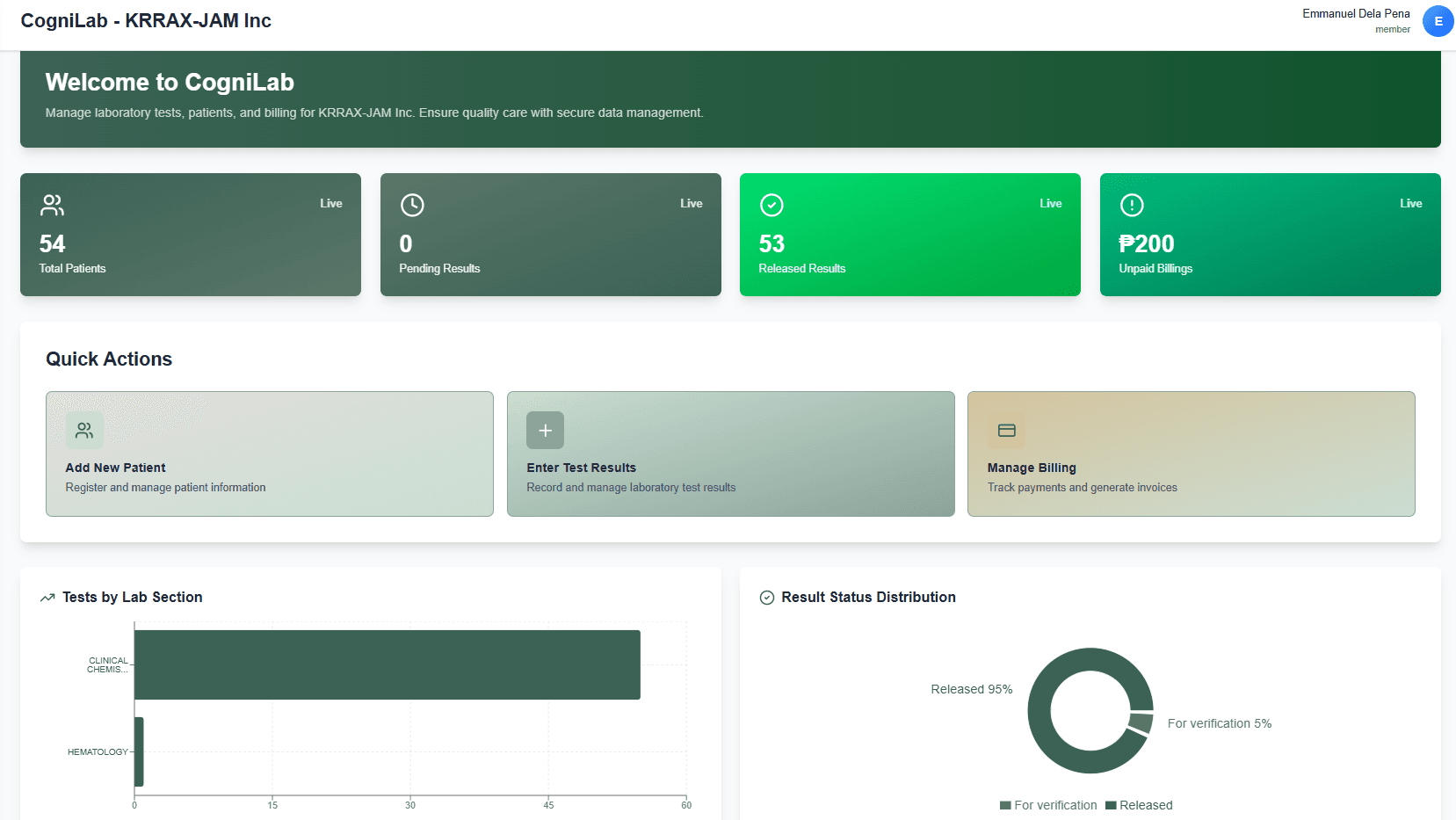
The main dashboard serves as the command center for lab staff — offering live data at a glance so nothing gets missed during a busy shift.
Live Metric Cards
Real-time counters display total patients, pending results, released results, and unpaid billings — all updated instantly via Supabase.
Quick Actions Panel
One-click shortcuts for the most common tasks: adding a new patient, entering test results, and managing billing invoices.
Tests by Lab Section
A visual chart breaks down active test requests grouped by laboratory section, helping staff prioritize workload efficiently.
Result Status Distribution
An at-a-glance chart shows the ratio of pending vs. released results, so supervisors can quickly spot processing bottlenecks.
Patient Management
A centralized module for managing the full patient lifecycle — from registration to test history — giving staff a complete and organized view of every patient in the system.
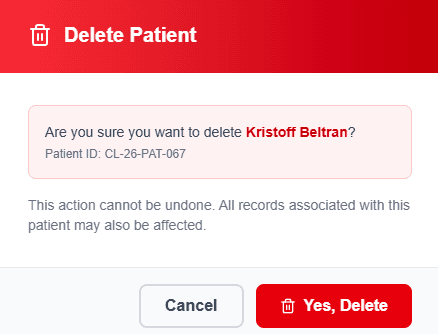
Patient List Overview
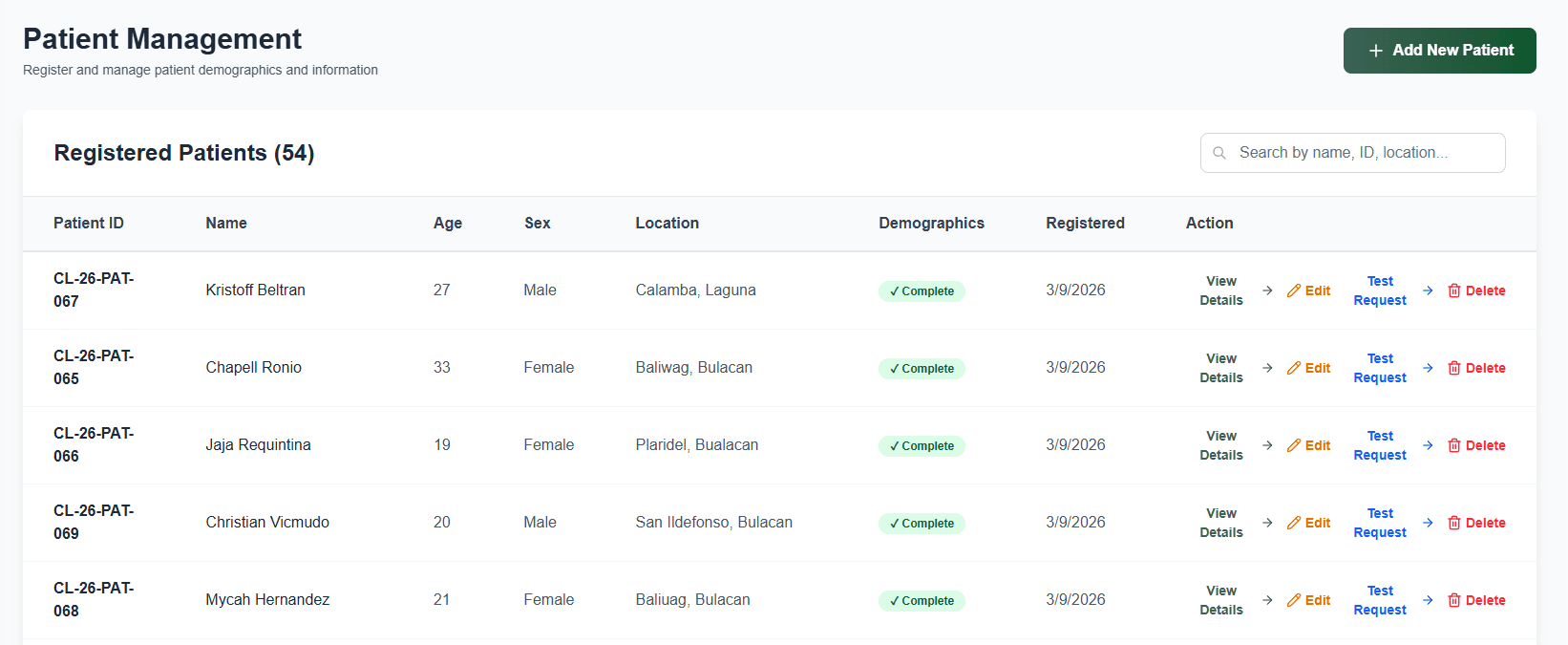
A paginated table displays all registered patients with their key details, making it easy to browse and manage a growing patient database.
Search & Filter
Staff can instantly search patients by name or ID and filter by relevant criteria, cutting down lookup time during busy lab hours.
Demographics Form
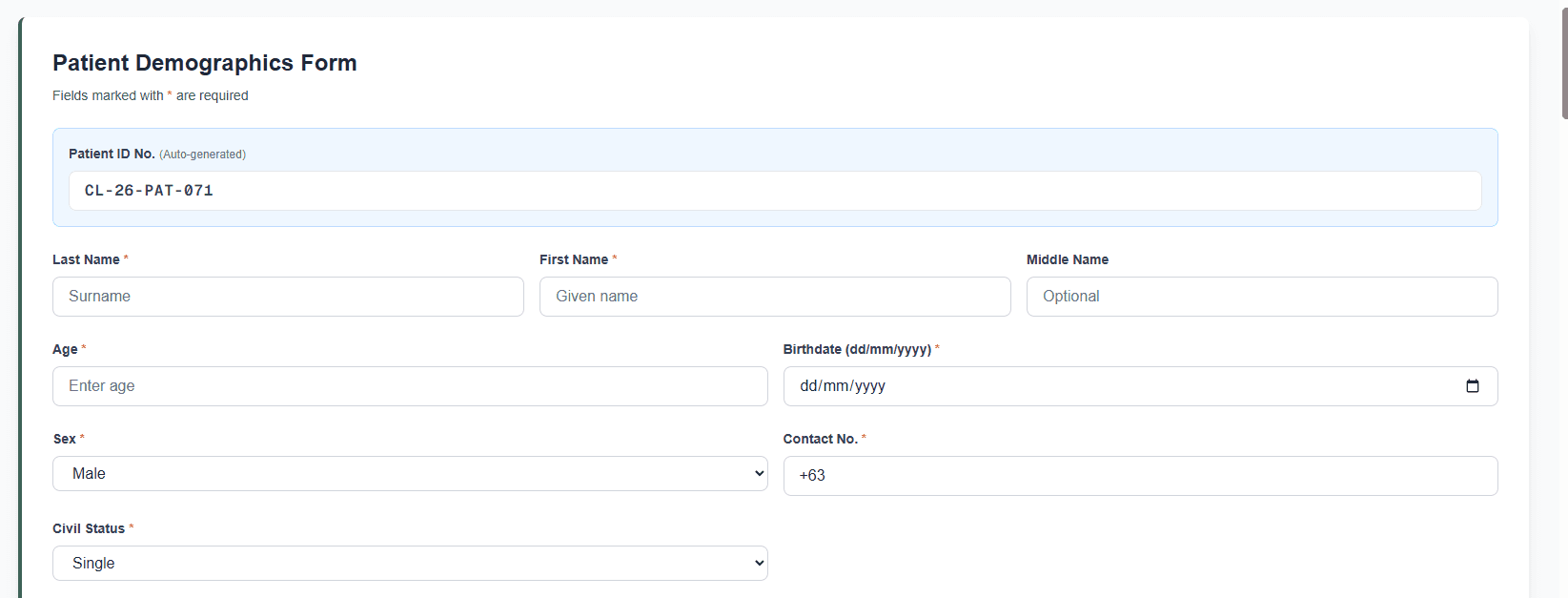
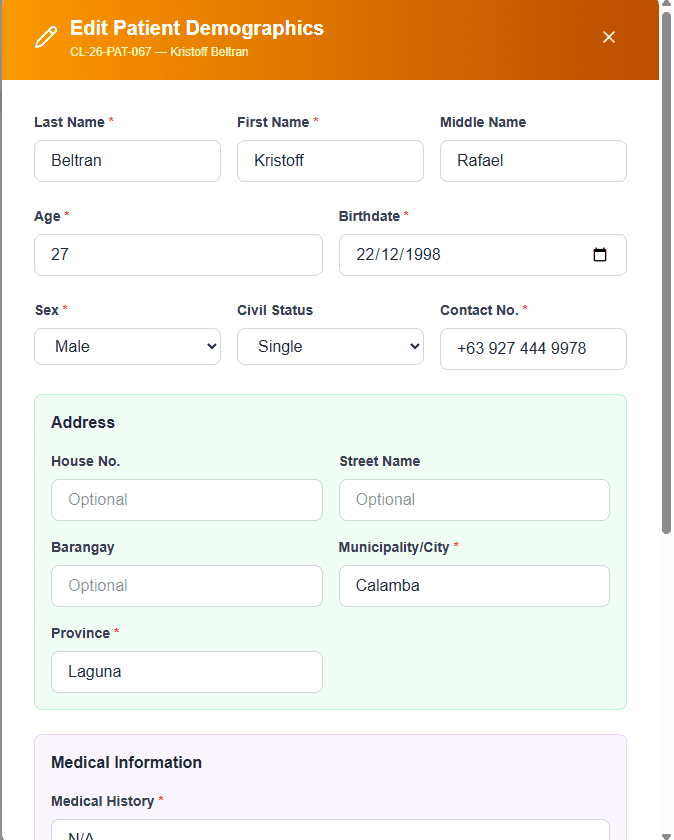
A structured form captures complete patient demographic data — name, age, sex, address, and contact info — upon registration or update.
Test Request History
Each patient profile includes a full log of past and active test requests, giving staff full context before processing any new order.
Test Request
Staff can create and manage laboratory test requests linked directly to a patient, with support for selecting multiple tests across different lab sections in a single order.
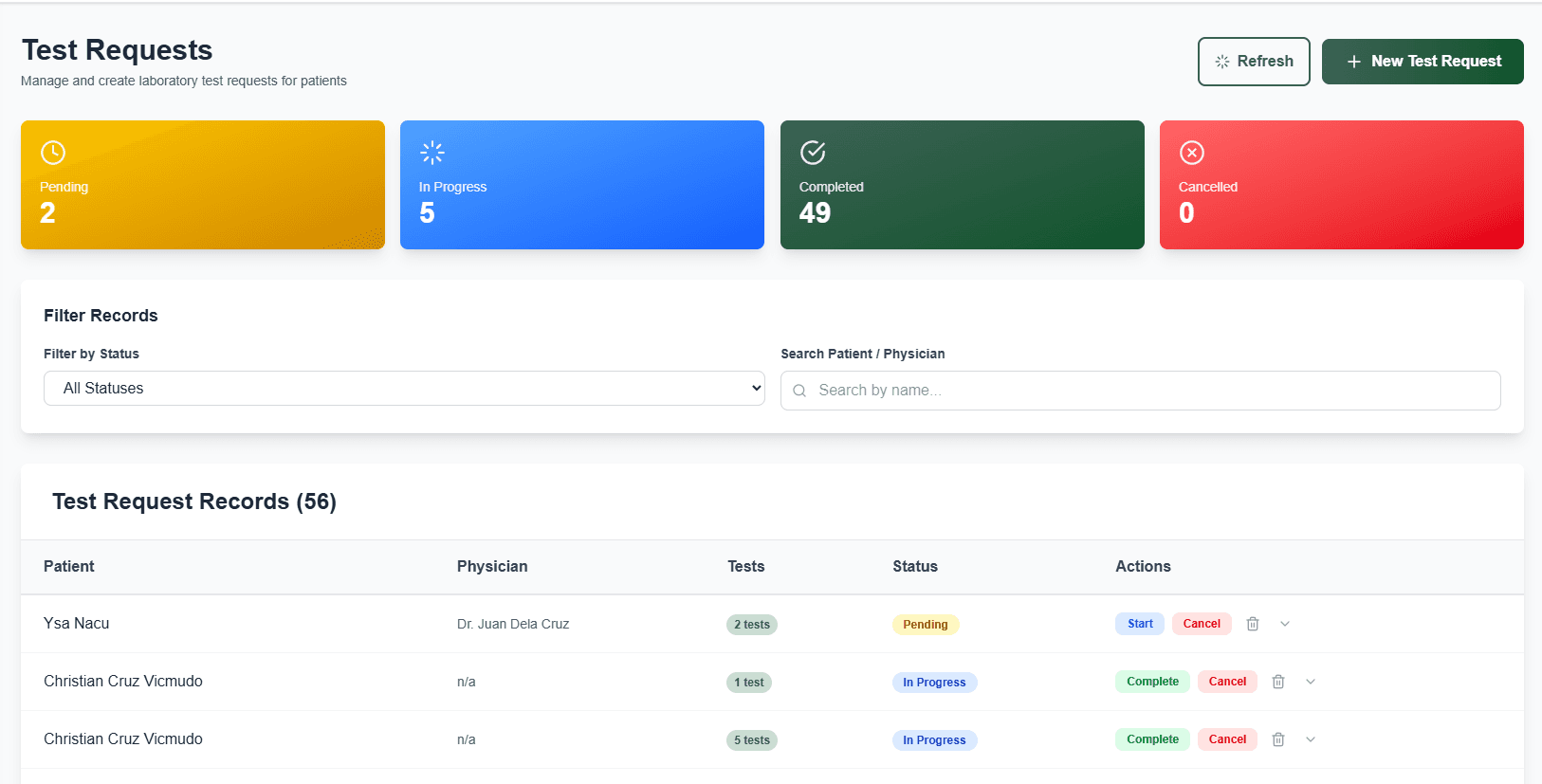
Request Overview
A master list of all test requests across patients, showing request status, assigned lab section, and creation date at a glance.
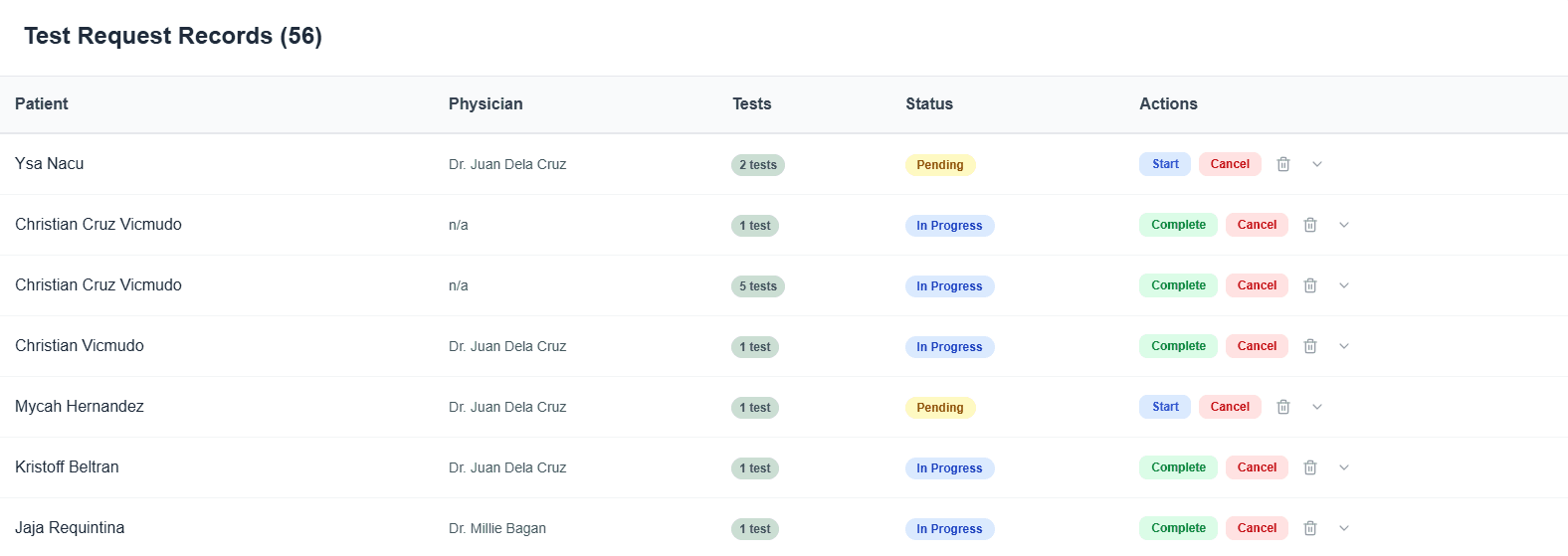
Request Records
Detailed records per request include the ordered tests, requesting physician, and a full trail of status changes from submission to completion.
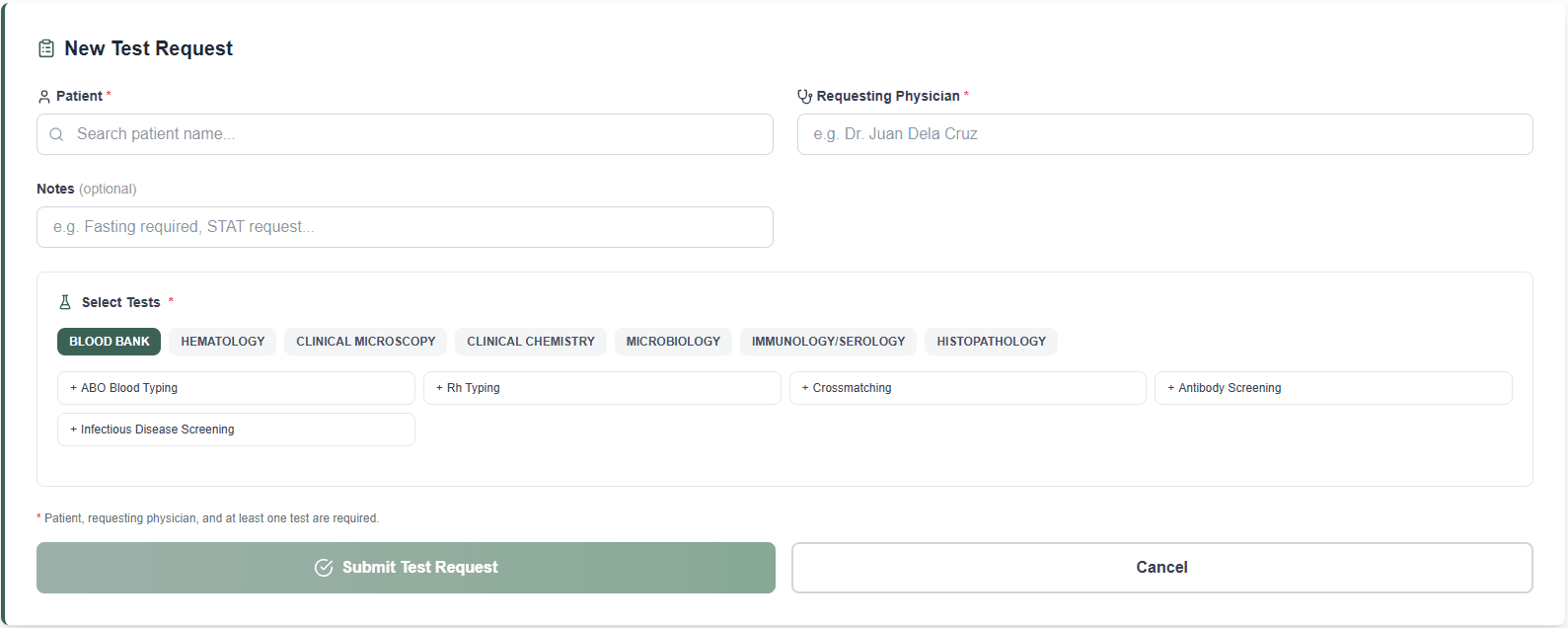
New Request Form
Staff can quickly file a new test request by selecting the patient, choosing tests from a structured catalog, and submitting in one step.
Status Tracking
Every request moves through clearly defined statuses — Pending, In Progress, and Completed — so staff always know where each order stands.
Billing
The billing module tracks payment status for each test request, generates invoices, and flags unpaid billings — keeping the lab's financial records clean and up to date.
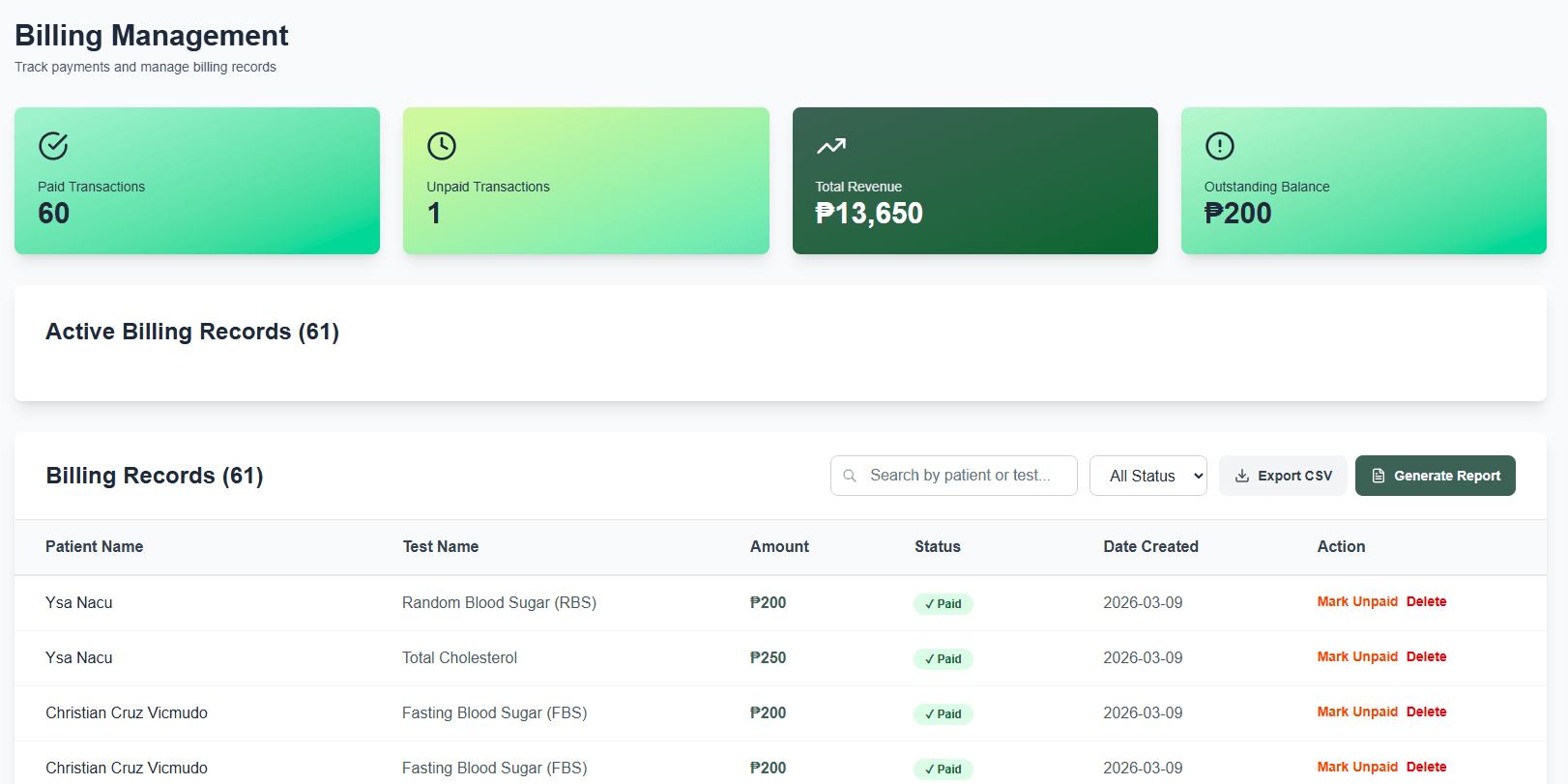
Billing Overview
A consolidated table lists all billing records tied to test requests, showing amount, payment status, and the associated patient at a glance.
Payment Status Tracking
Each billing record is tagged as Paid or Unpaid, making it easy for staff to follow up on outstanding balances without digging through records.
Invoice Generation
Staff can generate a printable invoice for any test request directly from the billing module, ready for patient pickup or official filing.
Unpaid Billing Alerts
Unpaid billings are surfaced on the dashboard metric card so supervisors are always aware of outstanding collections without manually checking records.
Specimen Tracking
Tracks the physical status of collected specimens throughout the testing process, ensuring no sample is lost or left unprocessed.
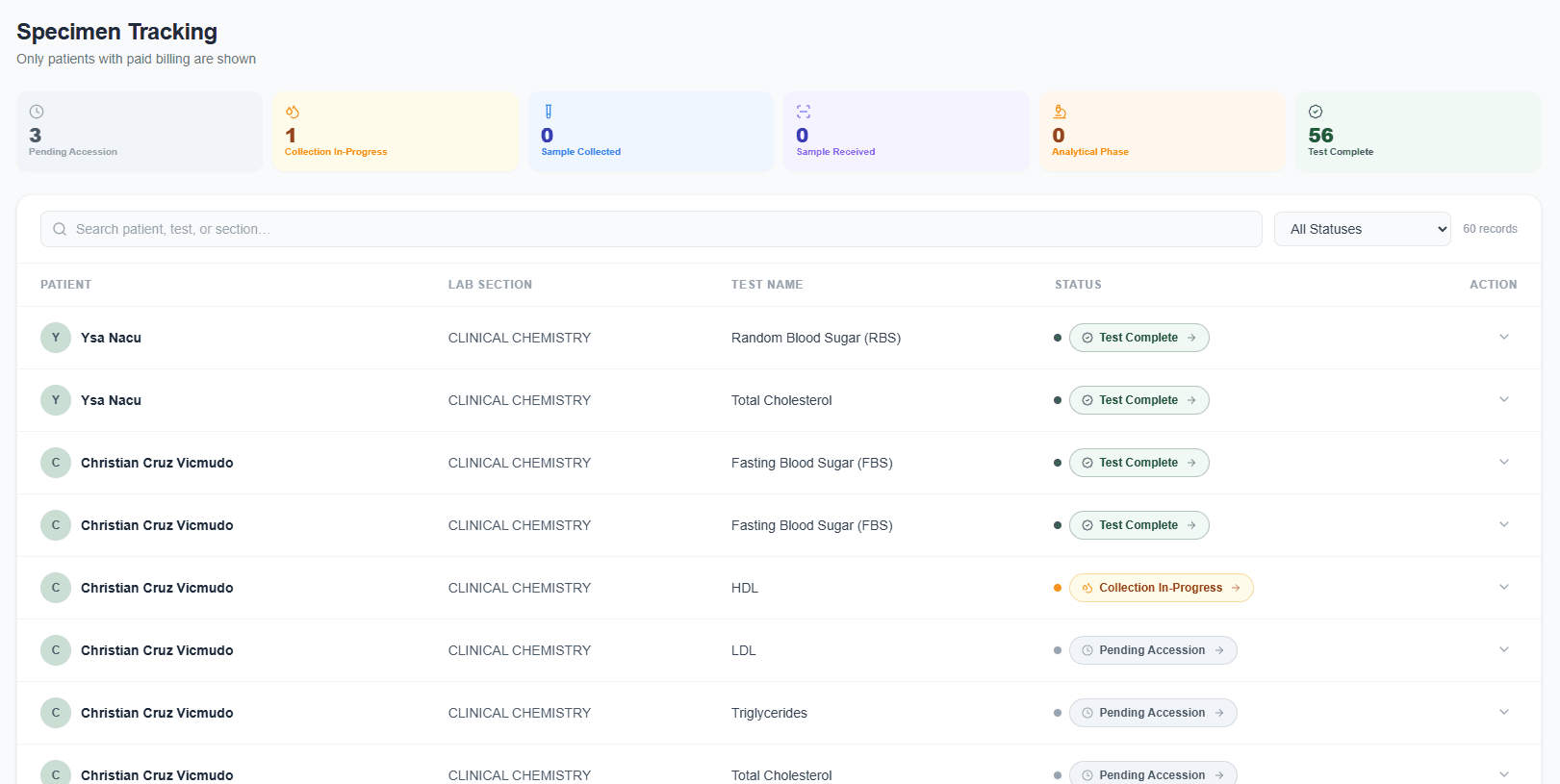
Specimen Overview
A dedicated table lists all collected specimens with their associated test request, collection date, and current processing status.
Status Progression
Specimens move through defined statuses — Collected, In Processing, and Done — giving lab staff a clear view of where each sample stands.
Quick Lookup
Staff can search and filter specimens by patient or test type, making it fast to locate a specific sample during a busy processing run.
Traceability
Every specimen is tied to a specific test request and patient record, maintaining a full chain of custody from collection to result entry.
Test Results
Lab staff can encode and review test results per request, with structured input fields per test type and a clear release workflow before results are made visible.
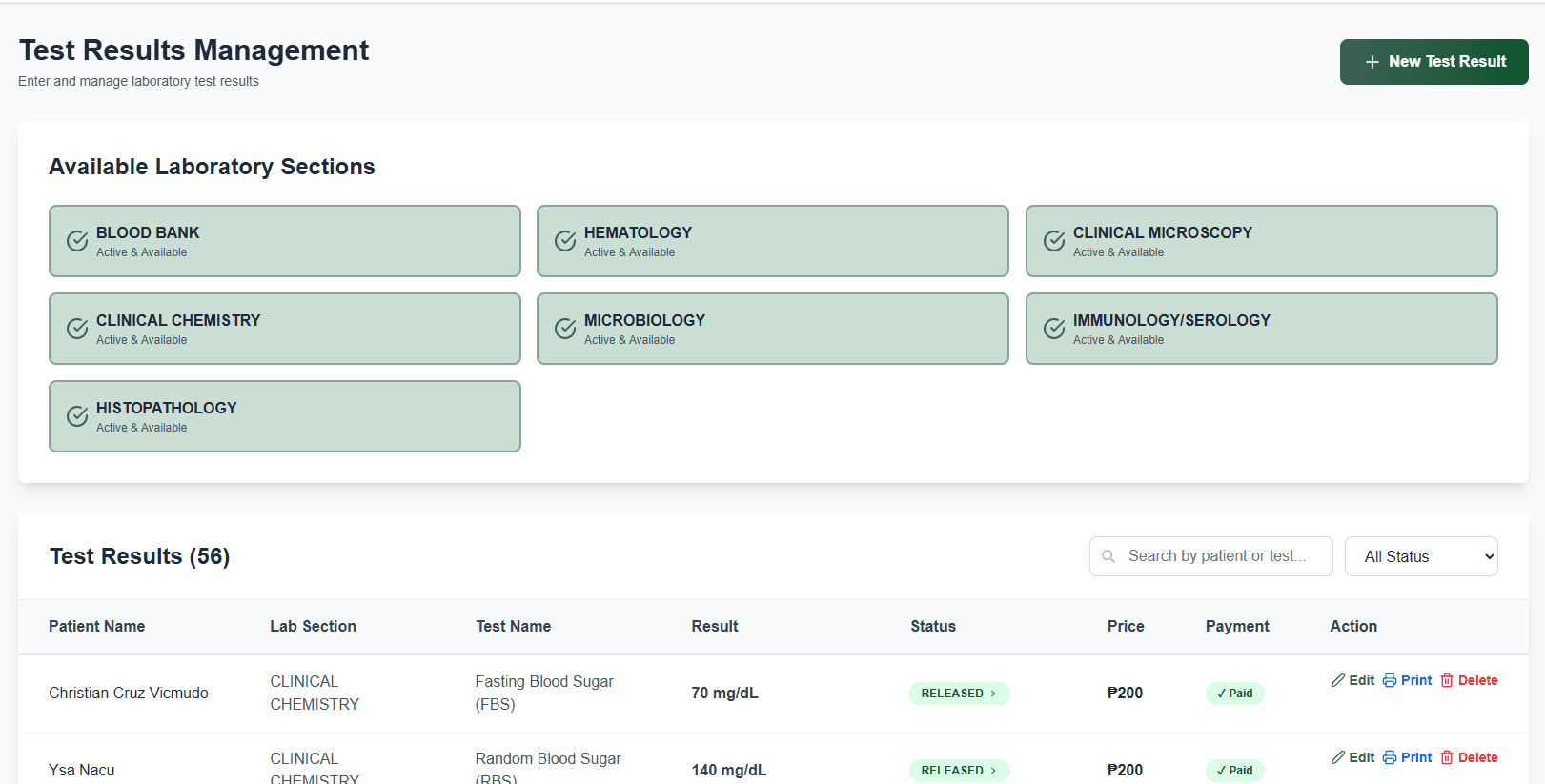
Results Overview
A consolidated list shows all test results across requests, with columns for patient, test type, encoded values, and release status.
Structured Result Entry
Each test type has its own input schema — staff fill in specific fields like reference ranges and measured values, reducing encoding errors.
Release Workflow
Results go through a review step before being marked as released, ensuring no unverified result is accidentally made available.
Pending vs. Released Tracking
Staff can filter by status to see which results still need encoding and which have already been released, keeping the queue organized.
Reports
Generates printable and exportable reports for individual test results and patient summaries, formatted for clinical use and ready for physician review.
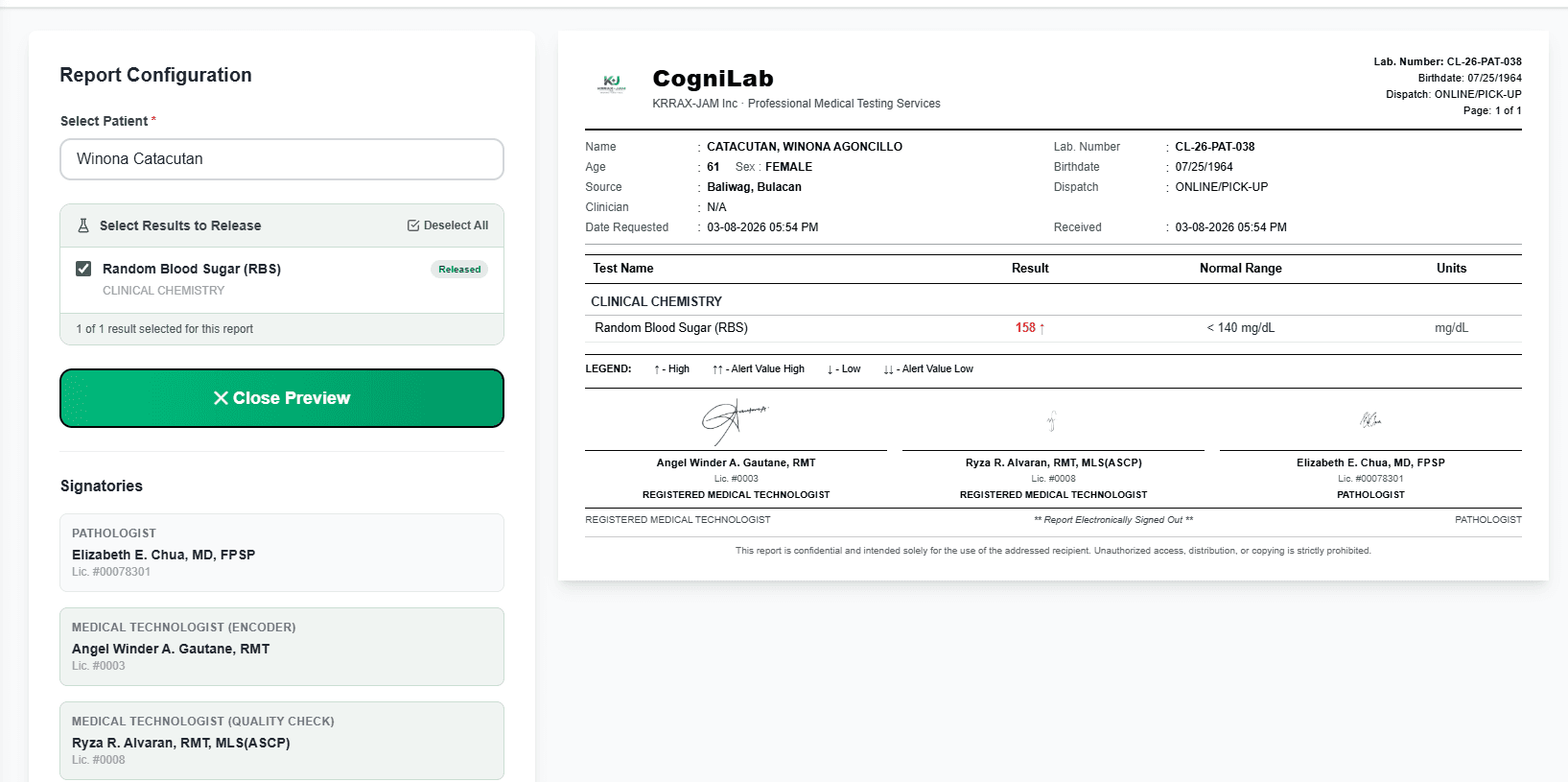
Printable Reports
Staff can generate a formatted, print-ready report for any completed test request — structured for clinical handoff to the requesting physician.
Summary Reports
Aggregate reports give supervisors a period-based overview of total tests conducted, results released, and billing collected.
Report Lookup
Reports can be filtered by date range, patient, or test type, making it easy to pull up historical records when needed.
Export Ready
Reports are structured for easy export, supporting documentation requirements for audits, accreditation, and clinical compliance.
Access History
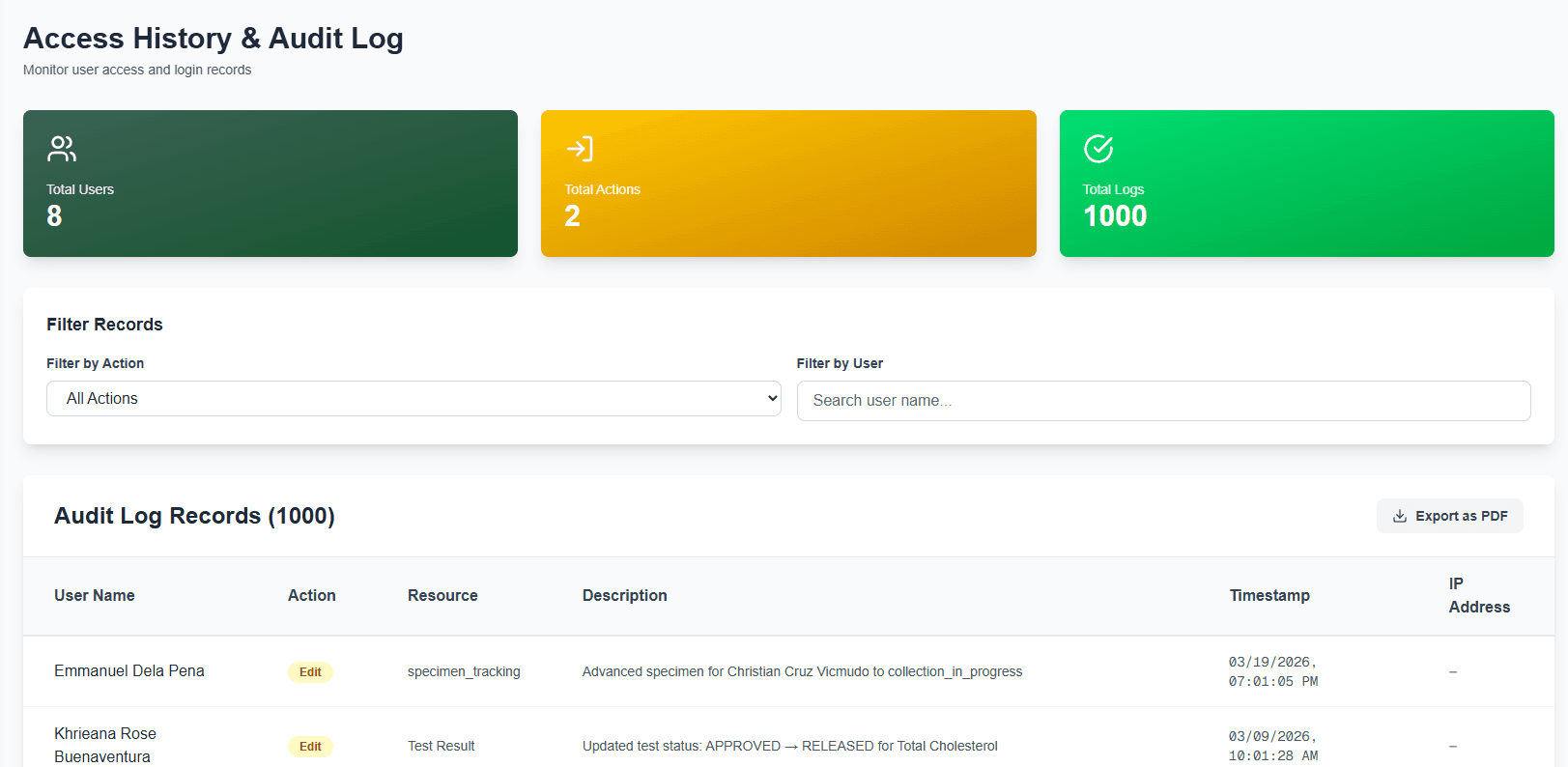
A full audit log records every significant action performed in the system — who accessed what, and when — supporting accountability and compliance tracking.
Full Audit Log
Every create, update, and delete action is automatically logged with the responsible user, timestamp, and affected record — nothing goes untracked.
User Activity Monitoring
Supervisors can filter the log by user to review what any staff member has done within a given period, supporting internal accountability.
Searchable History
The log is fully searchable and filterable by date, action type, and module — making it fast to trace back any change in the system.
Compliance Support
The audit trail serves as a tamper-evident record for compliance reviews, accreditation requirements, and any investigation into data discrepancies.
Profile
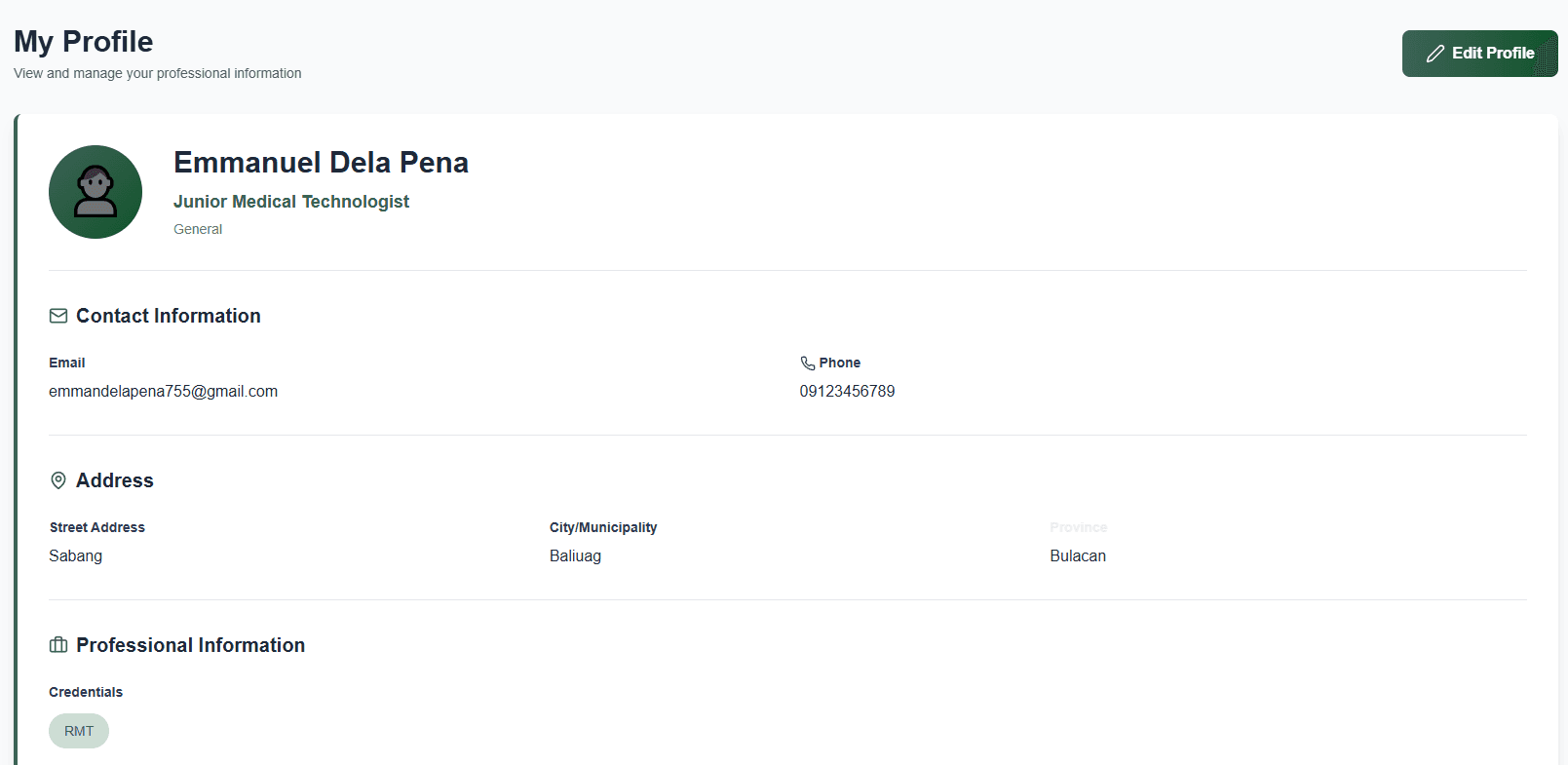
Each user has a personal profile page where they can view their account details and role assignments within the system.
Account Details
Users can view their personal information including name, email, and account credentials tied to their system login.
Role Assignment
Each profile clearly displays the user's assigned role — Admin, Staff, or Viewer — defining what actions and modules they have access to.
Profile Management
Users can update their profile details and manage their account settings directly from this page without admin intervention.
Session Awareness
The profile page reflects the currently active session, ensuring users always know which account they are operating under.